I Wrote, Illustrated, and Published This Article Without Leaving My AI Chat — Here's the Exact Setup

Every word of this article - the research behind it, the headline, the prose, the illustration, and the act of publishing it - happened inside one Claude session, connected to Magic Cloud over MCP.
No CMS login. No FTP. No image editor. No deploy step. No "content workflow".
I'm not describing a concept. This is the log of an actual working session - including the part where we hit a wall, discovered a missing feature, and built it without leaving the conversation.
The blog post you are reading is its own receipt.
The exact setup
Three pieces:
- A Magic cloudlet.Open source, self-hostable, and the thing actually serving the page you're reading.
- The MCP module, which turns the cloudlet into an MCP server by exposing its backend as tools - files, databases, users, roles, scheduled tasks, and the Hyperlambda Generator.
- Claude (or Codex, or Qoder - any MCP-capable agent). See hyperlambda.dev for instructions about how to get started.
The part that makes blogging trivial: this blog is not a "blogging platform". It's markdown files in /etc/www/.blog/, served by the cloudlet. Which means managing it requires no special feature at all - it's a file-tools use case. Read files, write files, done.
And note that a connector is per-cloudlet. Each cloudlet on each domain is its own MCP server, and one AI system can hold many connections at once - this very session ran two, and swapped between them mid-conversation. Hold that thought for the end of the article.
The workflow: from chat to published
Here's how this article actually came to exist, in order:
- Research. Claude searched the news for what's happening in the space, and we picked the angle together.
- Headlines. It suggested five; I picked number two. You're reading it.
- Style. Claude read several existing posts from
/etc/www/.blog/over the connector to learn the house voice - the zingers, the honest-version section, the way we close. - Draft. It wrote the article and saved it with a single
create-filecall. - Live. That's it. There is no step five. The file landing in the folder is publication.
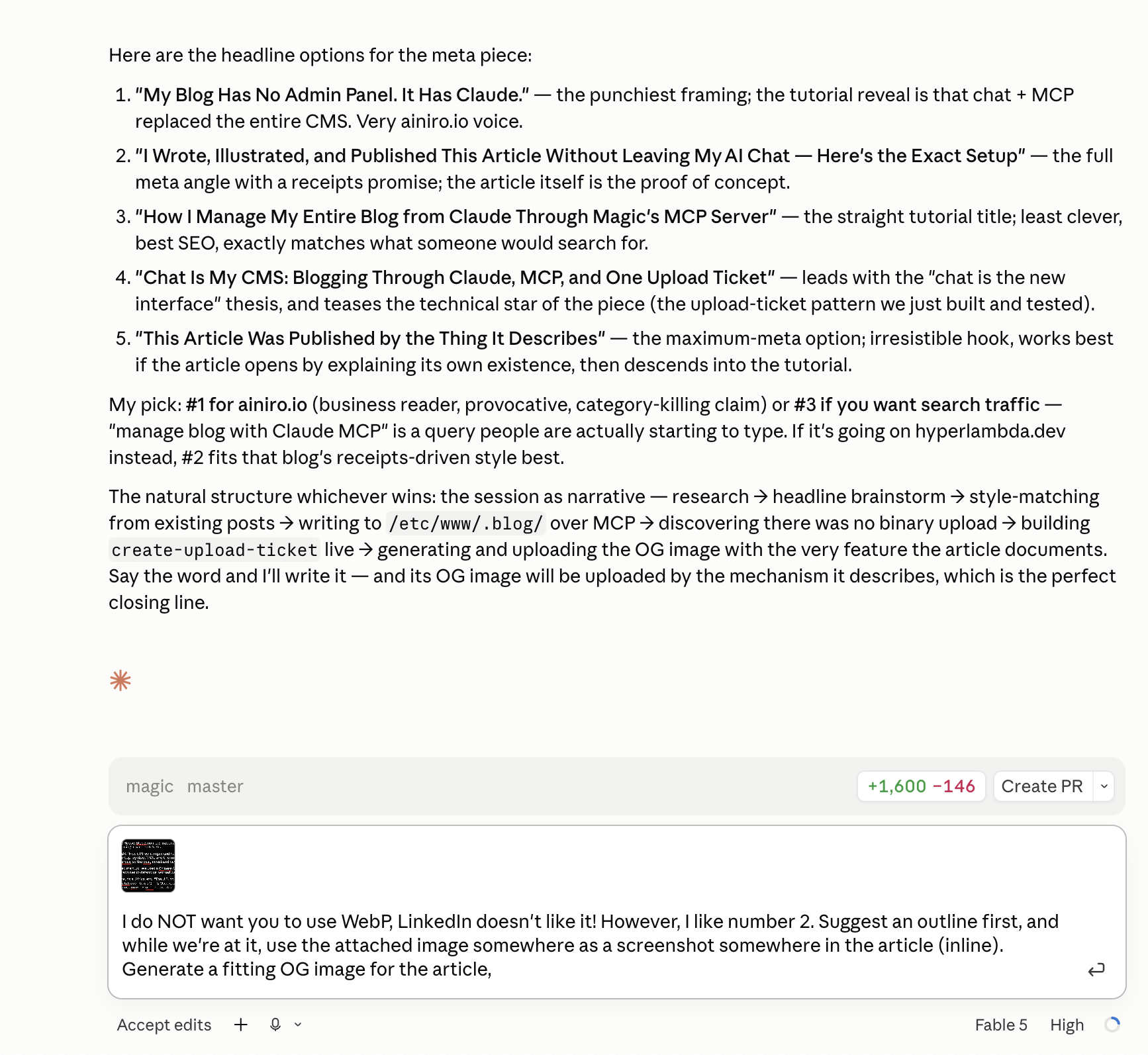
That screenshot is the conversation this article came from - Claude proposing headlines, me picking this one. And yes, the screenshot itself was uploaded through the mechanism described two sections from now. Everything in this piece eats its own dog food.
The wall: MCP cannot carry an image
Text flowed effortlessly until the moment an image needed uploading. Then we hit protocol reality.
MCP tool calls are JSON. There is no binary frame. The only way to push bytes through the channel is base64 - and base64 passes through the model's context window, so a 2.5 MB photo becomes hundreds of thousands of tokens. Slow, expensive, and near the limits of most clients.
MCP is a control plane, not a cargo ship.
Most people would stop there, or settle for the base64 hack. Instead, we asked Claude how it would solve it - and then let it build the answer.
Building the missing feature without leaving the chat
The pattern Claude proposed is the same one S3 has used for years: presigned uploads. Don't push the bytes through the authenticated channel - have the channel mint a short-lived credential, and move the bytes out-of-band.
So, in the same conversation, Claude read the existing workflow files to learn the local idioms, planned the feature, and wrote two small Hyperlambda files: a create-upload-ticket MCP function, and a streaming multipart upload endpoint. I pushed, rebuilt, reconnected the connector - and Claude's own toolbox had grown a new tool, which it then used.
The flow, end to end:
- Claude calls
create-upload-ticketover MCP. The cloudlet returns an upload URL plus a 20-minute scoped JWT - the agent never sees my real credentials. - Claude runs a one-line
curl, streaming the file from disk to the endpoint. The bytes never enter its context window. A 5 MB photo costs exactly as many tokens as a 5 KB icon: zero. - Optionally, the endpoint transforms the image in flight: supply
widthand/orheightto resize - one dimension alone preserves aspect ratio - orconvert=trueto re-encode into whatever format the destination filename implies.
And the receipts, from the live test round on this very cloudlet:
| Test | Result |
|---|---|
| 2.5 MB PNG, plain upload | Round trip byte-identical |
Resize, width=200 only | 1536×1024 became 200×133 - aspect preserved exactly |
convert=true, PNG to WebP | Genuine WebP, same dimensions, 31% smaller |
| Ticket security | Expires in 20 minutes; leaking it is a shrug, not an incident |
(A practical aside: the conversion test worked perfectly, and I still publish cover images as PNG - LinkedIn's crawler sulks at WebP. Know your distribution channels.)
The illustration that illustrates itself
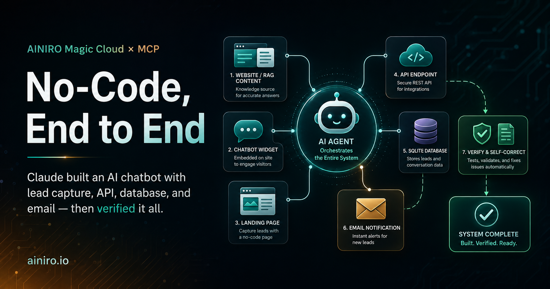
The cover image on this article was generated by the cloudlet's image workflow - freshly migrated to OpenAI's GPT Image 2 in the same session, since DALL-E retired in May - and then uploaded to /assets/images/blog/ using the upload ticket.
The article's illustration was delivered by the feature the article documents. That's not a gimmick; it's the point. The loop closed inside one conversation: notice a missing capability, build it, ship it, use it.
The honest version
Two caveats, stated plainly.
First: this works because the website is static files - markdown and assets on disk, GitHub Pages-style. File tools are the whole CMS precisely because there is no database-backed CMS in the way. If your blog lives inside WordPress or some SaaS editor, an agent can't manage it with file operations - you'd need API endpoints instead. (Which Magic generates in seconds, but that's a different article.)
Second: the session had warts, and receipts include warts. Behind the TLS-terminating proxy, the cloudlet's scheme detection returned http for generated URLs - everything worked, but the links needed one manual correction. It's on the fix list.
One chat, a thousand blogs
Here's the takeaway that's bigger than "chat is my CMS".
Because each cloudlet is its own MCP server, this doesn't top out at one blog. Connect ten cloudlets, or a hundred, or more - a cloudlet per brand, per client, per language, per domain - and one Claude, Codex, or Qoder system can manage a thousand-plus properties with the same workflow you just read. "Which blog am I posting to?" becomes "which connector am I calling?" And because every cloudlet enforces its own users, roles, and auth, a token for one property cannot touch another. An agency running content for a hundred clients does it from one chat window, with real security boundaries between every client.
And the feature we built mid-session? It landed in the open-source platform, not as a hack on one server - so every one of those thousand cloudlets grows the same new tool on their next upgrade.
That's what an AI-native backend actually looks like: not a chatbot bolted onto a CMS, but an agent operating real infrastructure through real permission boundaries - and extending that infrastructure when it finds an edge.
Get started with Magic Cloud, or talk to us if you'd rather we set up your first cloudlet with you.